How to “share” property details card
Q1: What can I share from the platform? You can share: Property reports Ownership details Market or property insights Q2: How do I share a property report? Open the property profile you want to share. Click the “Share” button (usually at the top right). Q3: Can I share with people who don’t have an account? …
Q1: What can I share from the platform?
You can share:
-
Property reports
-
Ownership details
- Market or property insights
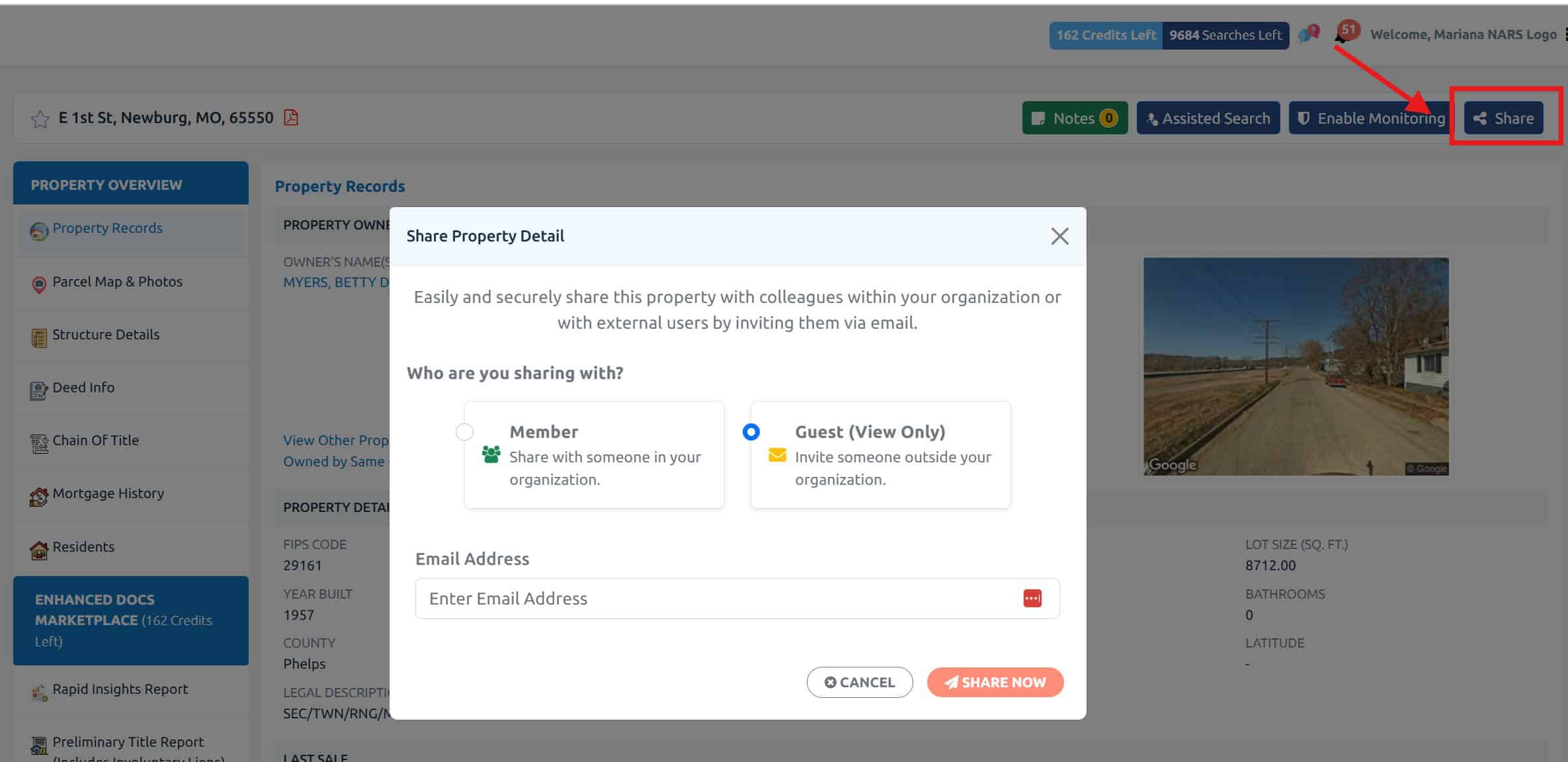
Q2: How do I share a property report?
-
Open the property profile you want to share.
-
Click the “Share” button (usually at the top right).
Q3: Can I share with people who don’t have an account?
Yes! When you choose “Copy Link” or Email, recipients can view a read-only version of the property data even if they aren’t logged in (depending on your settings).
Q4: Is the shared information secure?
Yes — shared links are unique and can be set to expire or be password-protected (if enabled in your settings).
Q5: Can I track who viewed my shared report?
Yes, if you’re on a Pro or Team plan, you’ll see view activity like:
-
When someone opens the link
-
Which pages they viewed
-
How long they stayed on the report
Q7: What if the Share button isn’t working?
Try the following:
-
Refresh the page
-
Make sure you’re logged in
-
Check if the property is saved to your dashboard
Still having trouble? Reach out via our Live Chat or email us atsupport@propertyscout.io